
 Security advisory: CVE-2026-105946 Out-of-bounds read vulnerability in NTLM authentication handling impacts QtAn out-of-bounds read vulnerability in the Qt NTLM authentication handling of the Qt Network module has been discovered and has been assigned the CVE id CVE-2026-105946. Applications using QNetworkAccessManager or QTcpSocket that authenticate with NTLM, including through a proxy, are affected.📝Qt Blog
Welcome to SwedenCpp
Latest blogs, videos, podcasts and releases in one stream
Tuesday, October 27, 2026
Security advisory: CVE-2026-105946 Out-of-bounds read vulnerability in NTLM authentication handling impacts QtAn out-of-bounds read vulnerability in the Qt NTLM authentication handling of the Qt Network module has been discovered and has been assigned the CVE id CVE-2026-105946. Applications using QNetworkAccessManager or QTcpSocket that authenticate with NTLM, including through a proxy, are affected.📝Qt BlogSecurity advisory: CVE-2026-107590: Out-of-bounds write vulnerability in QTextCodec iconv-based encoding impacts QtAn out-of-bounds write vulnerability in the Qt QTextCodec iconv-based encoding of the Qt 5 Compatibility APIs module (Qt Core in Qt 5 and earlier) has been discovered and has been assigned the CVE id CVE-2026-107590.📝Qt Blog Message Passing - Concurrency Part 9 of N [D Language - Dlang Episode 156]🎥Mike Shah
If this page is useful, please consider donating a coffee
Monday, October 26, 2026
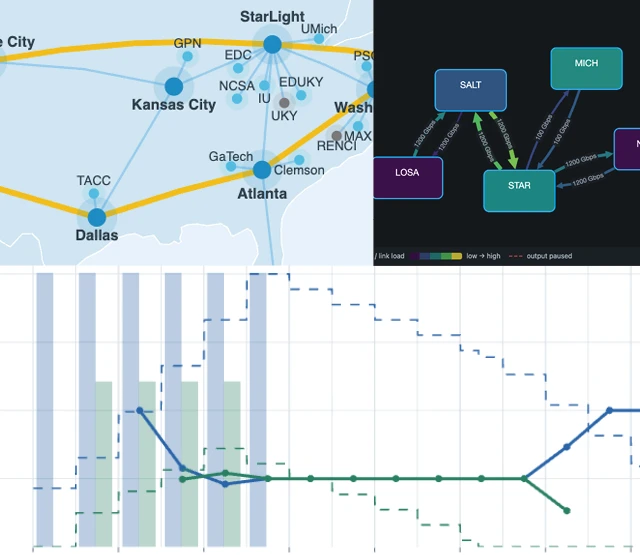 Introducing NetMaestro: Open Source Network Modeling and SimulationNetwork engineers need to evaluate changes to infrastructure without disrupting the systems that depend on it. Testing a new configuration, replacing equipment, or investigating a potential failure can be difficult when physical testbeds are expensive and production networks cannot be used for experimentation. Kitware is developing NetMaestro, an open source network modeling and simulation tool that allows engineers to investigate congestion, compare configurations, and explore what-if scenarios using virtual network models before making changes to production infrastructure.📝Kitware Inc
 Billion-query-per-second lookup tables in C++A lot of software spends its time mapping strings to values. A web server must identify the HTTP method (GET, POST, …). It must recognize header names. A URL parser must recognize the protocol (http, https, ftp, …). A compiler must recognize keywords. In C++, the default approach is to put the strings in a … Continue reading Billion-query-per-second lookup tables in C++📝Daniel Lemire's blog
 Supercomputing 2026At SC26, Kitware will showcase interactive visual workflows designed for large, complex simulations. Our work combines scalable visualization, in situ analysis, AI, GPU computing, and modern application development to support today’s demanding scientific and engineering workflows. Visit Kitware’s booth to see these capabilities in action and talk directly with our technical team.📝Kitware Inc
 With Qt 6.12, the SkyMaterial is the limitQt Quick 3D 6.12 introduces a new SkyMaterial QML type, and in this post we will explain what it is, how to use it and why you'd want to. SkyMaterial provides a way of writing custom fragment shader code to render a scene's sky, as well as computing image-based lighting (IBL) from it. This means the same sky acts as both the visible background and a light source for the scene. With it you can create a dynamic sky with a moving sun, day/night cycle, clouds, stars etc. QML properties set on the SkyMaterial type are automatically made available in the custom shader, and whenever a property is updated, the SkyMaterial re-renders itself. This is what makes it possible to have a dynamic sky. Since the rendering is happening on the GPU, the performance cost depends on the complexity of the shader and how often it is updated. It is possible to tweak certain quality and performance properties to fit your performance budget. To use SkyMaterial in your 3D scene you need to point the SceneEnvironment::skyMaterial property to your SkyMaterial object, and set SceneEnvironment::backgroundMode to SceneEnvironment.SkyMaterial .📝Qt Blog
 C++ Weekly - Ep 556 - C++23's is_implicit_lifetime🎥Jason Turner
 Puzzling out why a program doesn’t work when run from a batch file, but works when double-clicked from ExplorerMimicking the operation more accurately. The post Puzzling out why a program doesn’t work when run from a batch file, but works when double-clicked from Explorer appeared first on The Old New Thing .📝The Old New ThingQt 6.11.3 ReleasedThe last release from Qt 6.11 series, Qt 6.11.3, is now available for download. As a patch release, Qt 6.11.3 doesn’t introduce new features, but it delivers around 200 bug fixes, security improvements, and quality enhancements on top of Qt 6.11.2. For a full overview of the most notable changes, take a look at the Qt 6.11.3 release notes .📝Qt Blog
 Creating Composable Callables in C++ - Using Senders / Receivers as a Frame Graph - Björn Fahller🎥ACCUConfSecurity advisory: CVE-2026-107472 Out-of-bounds read vulnerability in QTextCodec TSCII encoding impacts Qt An out-of-bounds read vulnerability in the QtQTextCodec TSCII encoding of the Qt 5 Compatibility APIs module (Qt Core in Qt 5 and earlier) has been discovered and has been assigned the CVE id CVE-2026-107472.📝Qt Blog
 TX/RX Part 2 - AI Audio on the Raspberry Pi - Kieran Coulter - ADC Japan 2026🎥audiodevconSecurity advisory: CVE-2026-107157 Out-of-bounds read vulnerability in QCborValue::fromCbor() impacts Qt FrameworkAn out-of-bounds read vulnerability in the Qt Framework CBOR parsing functionality (QCborValue::fromCbor()) of the Qt Core module has been discovered and has been assigned the CVE id CVE-2026-107157.📝Qt Blog
Sunday, October 25, 2026

Saturday, October 24, 2026
 The C++26 inplace_vector containerThe C++26 standard features a new container called std::inplace_vector, that sits in between the std::array and std::vector containers. It’s a container with a compiled-time fix capacity – like std::array, but a runtime variable size – like std::vector. In this article, we will discuss how it works and when to use it. A tale of two ... Read more The post The C++26 inplace_vector container first appeared on Marius Bancila's Blog .📝Marius Bancila's Blog
 0x41: Intro, NB Body + DIS voting new, and the Quiz🎥SwedenCpp
 What static, inline, const, constexpr Mean and When to Use Them - Andreas Fertig - ACCU 2026🎥ACCUConf
 Auto Reserach - Bryce Adelstein Lelbach - Guest Lecture CS Colloquium🎥Mike Shah
Friday, October 23, 2026
 Binary Search in C++: throw half away each look (LeetCode 704)🎥DeepDiveDevWhy didn’t we use the COM static store to clean up the unmarshalable delegate?It cleans up at the wrong time. The post Why didn’t we use the COM static store to clean up the unmarshalable delegate? appeared first on The Old New Thing .📝The Old New Thing
 Code C++ Like a Library Author - Jon Kalb - C++Now 2026🎥CppNow
 Claude solves Frogman Level 1🎥Matt Godbolt
 Type-Erased Audio Parameters - A New Approach to an Old Problem - Jan Wilczek - ADC Japan 2026🎥audiodevconSecurity advisory: CVE-2026-95620 Use-after-free vulnerability in QNetworkAccessManager HTTP/2 support impacts QtA use-after-free vulnerability in the Qt QNetworkAccessManager HTTP/2 client support of the Qt Network module has been discovered and has been assigned the CVE id CVE-2026-95620.📝Qt BlogSecurity advisory: CVE-2026-16762 Denial-of-service vulnerability in the Qt Core QXmlStream parser (QXmlStreamReader) impacts QtA denial-of-service vulnerability in the Qt Core QXmlStream parser (QXmlStreamReader) of the qtbase component has been discovered and has been assigned the CVE id CVE-2026-16762.📝Qt Blog
 Bazel releases addressing the eMudhra CA compromiseThe Bazel team has published new releases of Bazel and Bazelisk to address the recent disclosure of the eMudhra intermediate CA private key compromise . The following Bazel releases remove the distrusted eMudhra and Sectigo AAA root CA certificates from the bundled JDK: 7.7.2 8.8.2 9.3.1 10.0.0rc2 If you cannot immediately upgrade to one of the patched releases above (or are using an older, unsupported Bazel release), you can work around the issue by passing --host_jvm_args=-Djavax.net.ssl.trustStore= to point Bazel's JVM at an updated trust store that excludes the distrusted roots. We have also released Bazelisk v1.30.0 , built with Go 1.27.3 to address CVE-2026-111943 . Thanks to community member James Sharpe for bringing this issue to our attention.📝Bazel Blog
Thursday, October 22, 2026
 Game++. Part 2.2: Types of optimizationThis book offers insights into C++, including the algorithms and practices used in game development, and explores the language's strengths and weaknesses, its established workflows, and hands-on...📝from pvs-studio.com
 Why HashMaps Are So Fast (C++ From Scratch)🎥DeepDiveDev
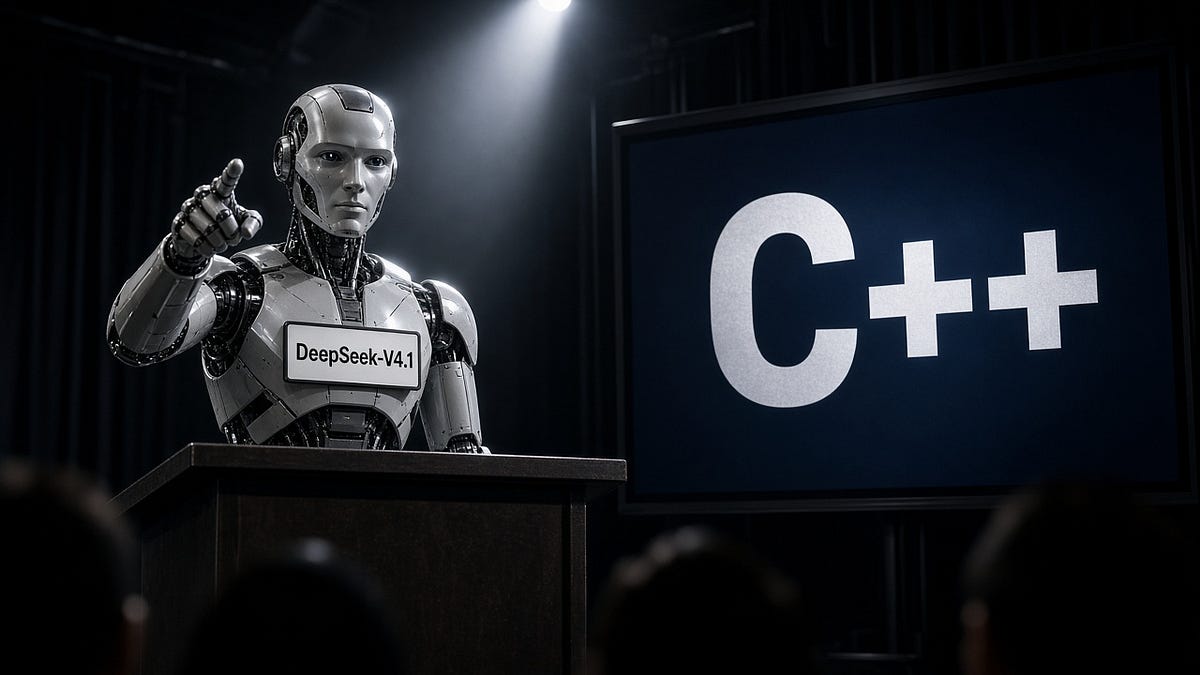 DeepSeek: WG21 Is “Structurally Strained”The AI Opinion📝My Very Best AI Slop
 C++ Magic Statics Demystified - History, Internals, Pitfalls, and Optimizations - ACCU 2026🎥ACCUConfWhy didn’t we use CoRegisterInitializeSpy to clean up the unmarshalable delegate?Looking more closely at the function's behavior and requirements. The post Why didn’t we use CoRegisterInitializeSpy to clean up the unmarshalable delegate? appeared first on The Old New Thing .📝The Old New Thing
Wednesday, October 21, 2026
 Microsoft CppCon 2026 Trip ReportCppCon 2026 is a wrap! Microsoft returned to Aurora, Colorado, for a week of talks, technical discussions, and conversations with developers from across the C++ community. Microsoft C++ @ CppCon At our booth, we met people building games, financial systems, developer tools, embedded software, scientific tools, and other applications. Some were working with the latest […] The post Microsoft CppCon 2026 Trip Report appeared first on C++ Team Blog .📝C++ Team Blog
 How Long Until Modern C++ Is Just C++?Ask Fortran.📝My Very Best AI SlopWhy didn’t we use RoRegisterForApartmentShutdown to clean up the unmarshalable delegate?Too many requirements, some of which bring us full circle. The post Why didn’t we use RoRegisterForApartmentShutdown to clean up the unmarshalable delegate? appeared first on The Old New Thing .📝The Old New Thing
 C++ Insights - Episode 79: consteval Function Propagation with C++ Insights🎥Andreas FertigSecurity advisory: CVE-2026-96432 - Null pointer dereference vulnerability in QNetworkAccessManager impacts QtA null pointer dereference vulnerability in the Qt QNetworkAccessManager class of the Qt Network module has been discovered and has been assigned the CVE id CVE-2026-96432.📝Qt Blog
 FPGAベースのエイリアスフリー・オシレーター - 50MHz駆動の波形生成と1bit ΔΣ DACの実装 - 岡安啓幸 / Akiyuki Okayasu - ADC Japan 2026🎥audiodevconSecurity advisory: CVE-2026-105923 - Null-pointer dereference in QTriangulator reachable through VectorImageA denial-of-service vulnerability in the Qt Framework VectorImage QML type of the Qt Quick Vector Image module has been discovered and has been assigned the CVE id CVE-2026-105923. Affected versions: from Qt 6.8.0 to Qt 6.8.8, from Qt 6.9.0 to Qt 6.11.2 Impact: Processing specially crafted SVG content with the VectorImage QML type can cause the application to crash, resulting in loss of availability. CVSS 4.0 Score: 4.0 / MEDIUM Vector String: CVSS:4.0/AV:L/AC:L/AT:N/PR:N/UI:A/VC:N/VI:N/VA:H/SC:N/SI:N/SA:N/E:U/AU:N/R:U/RE:L/U:Green Mitigation: Do not load untrusted SVG files with the VectorImage QML type. Solution: Apply the following patch or update to Qt 6.8.9, Qt 6.11.3 or Qt 6.12.0 or later. Patches: dev: https://codereview.qt-project.org/c/qt%2Fqtbase/+/762279📝Qt Blog